You’re Not Locked Out Forever
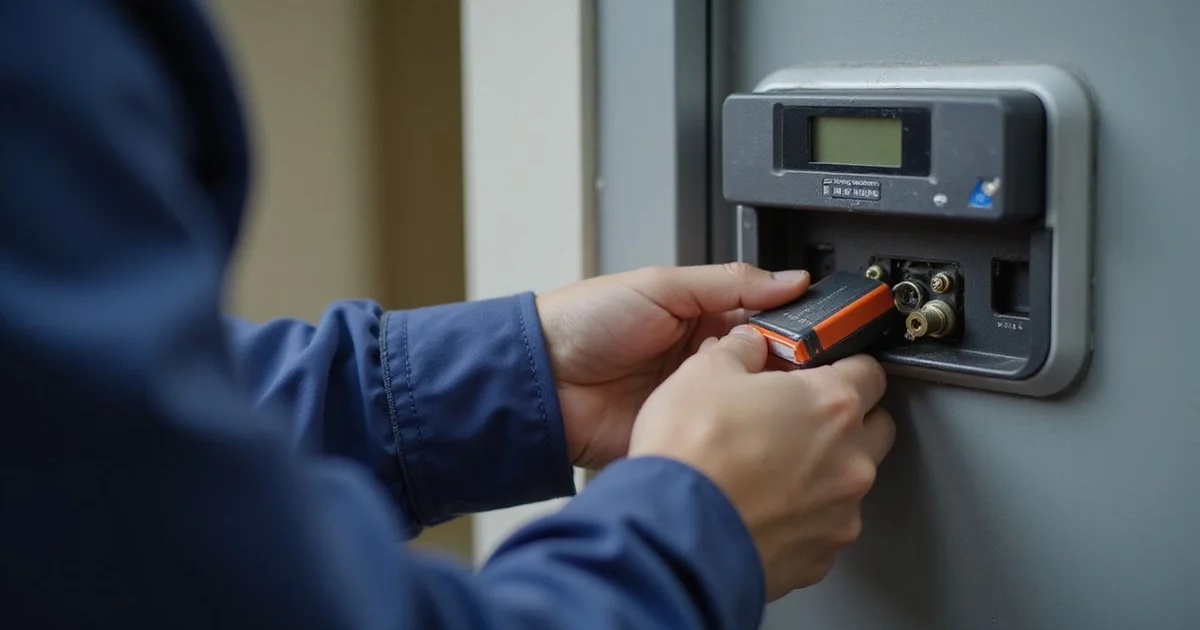
We know that sinking feeling when you stand at your door and the keypad stays completely dark. A dead smart lock battery is a common nightmare, but it is rarely a permanent lockout.
Our team walks every customer through these bypass techniques during our smart lock service appointments. You might have forgotten the exact steps if it is currently the middle of the night.
Let’s look at the hardware and how these overrides actually work.
Method 1: 9V Emergency Power Contacts
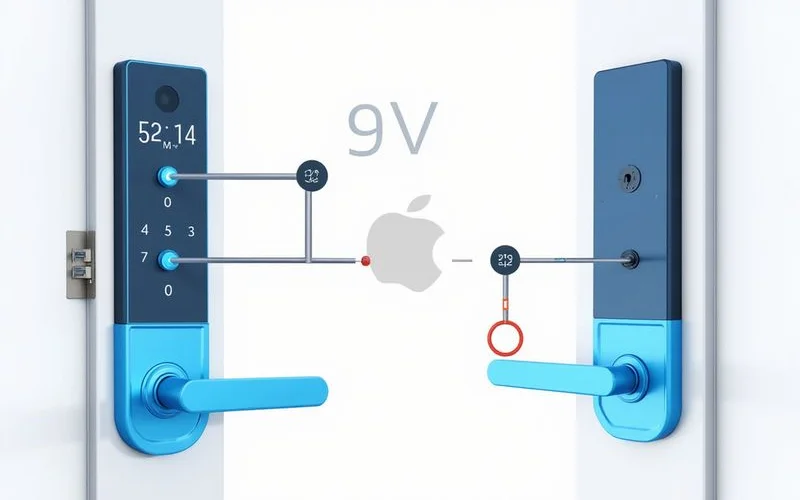
Most major brands, including Yale, Samsung, and Aqara, feature a built-in digital lock emergency override. You will usually find two small metal contacts hidden at the very bottom of the keypad unit. They look like small metal dots or strips and often have positive and negative symbols next to them.
Step by step:
- Hold a standard 9V battery against the contacts.
- Ensure the battery touches both metal points simultaneously.
- The keypad lights up immediately as the lock receives a temporary power surge.
- Quickly enter your PIN or scan your fingerprint while maintaining steady pressure on the battery.
- The lock mechanism engages, allowing you to step inside.
We strongly recommend keeping a spare 9V battery in your car glovebox for exactly this scenario. A reliable brand like Energizer Max costs less than RM13 at local stores like 99 Speedmart or MR. DIY. That small investment saves you a massive headache during a midnight lockout.
Method 2: Mechanical Override Key
Quality smart locks almost always include a traditional keyway as a physical fail-safe. Manufacturers usually hide this behind a discreet cover on the lock body to maintain a sleek design. You can often pop this magnetic cap off with a fingernail or by sliding it firmly in one direction.
The mechanical cylinder operates completely independently of the internal electronics and motor. Insert your physical key and turn it to manually retract the deadbolt. Most standard models require a clockwise turn, but you should check your specific manual for the correct rotation.
Key Storage Best Practices:
- Keep it off-site: Store the mechanical key at your workplace or with a trusted neighbour.
- Use your car: The glove compartment is a highly secure, accessible spot for your spare.
- Never keep it inside: Storing the backup key inside the locked house defeats its entire purpose.
Our technicians frequently rescue homeowners who left their only mechanical override sitting on their kitchen counter. You must treat this key as your ultimate backup plan and store it accordingly.
Why It Happened and How to Avoid Repeats
Smart locks are designed to alert you well before the power completely drains. A sudden failure is incredibly rare unless the batteries are severely corroded. Most systems use a combination of warnings to get your attention.
Common Low-Battery Warnings:
- App notifications: Your smartphone will ping you with a “Battery level: 20%” alert.
- Keypad beeps: The lock will emit a distinct, repeated tone every time you open the door.
- Visual indicators: A red LED symbol will flash continuously on the touchscreen.
The most frequent cause of a dead-battery lockout is simply ignoring these daily warnings. You should treat that first low-battery alert as a priority task for the same week. Connectivity type also plays a massive role in how often you face this issue.
Wi-Fi enabled locks drain power much faster than their Bluetooth or Zigbee counterparts. A Wi-Fi lock in a Malaysian home typically requires new batteries every two to six months due to constant router communication. Bluetooth models often stretch that lifespan to a full year.
Practical Maintenance Routine:
- Set a smartphone calendar reminder every 6 months to proactively check the battery percentage in your app.
- Replace all batteries simultaneously when one gets low, as mixed batteries cause uneven power drains.
- Purchase high-quality alkaline AA batteries from trusted brands.
- Avoid using rechargeable lithium batteries because their voltage curve drops too suddenly for the lock to issue a warning.
What If Both Methods Fail?
This is a rare scenario, but hardware malfunctions do occasionally happen. The exterior contact points might be vandalised, or the internal mechanical cylinder could be jammed.
Our emergency team is available if you cannot get the door open using the standard bypass methods. You can call us directly for immediate assistance. Dispatch units across the KL and Selangor areas operate 24/7, typically arriving within 45 minutes. Specialized bypass techniques allow technicians to open the door without damaging your expensive hardware.
Understanding your hardware’s internal mechanics is the best way to prevent future panic. We highly recommend reviewing our detailed guide on how smart locks work to familiarize yourself with the internal components and backup systems.
Replacing the Batteries
You must swap out the dead power cells immediately after getting back inside your home. Most residential smart locks require four to eight standard AA alkaline batteries. These are always housed inside the interior escutcheon, safely protected from outside tampering.
Removing the cover is usually a straightforward process. You simply slide the plastic battery tray up and out of the housing unit.
We always tell our clients to stick with premium alkaline options and completely avoid cheap carbon-zinc batteries, which are prone to leaking and destroying the circuit board. Once the new batteries are installed, open your smart home app and verify that the power level reads 100 percent. You should then set a fresh calendar reminder for about eight months from today.
This simple habit guarantees you will catch the battery level before the next inevitable warning cycle begins. If you continue experiencing rapid battery drain or hardware issues, reach out to our local technicians for a diagnostic check.